
Table of Contents
Cable TV vs IPTV is a comparison between a traditional television package and TV delivered over Internet Protocol networks. For a US household deciding whether to switch, the useful question is how much you will pay for the channels you watch, on the screens you use, over a full year.
A low subscription price can make switching attractive. The saving becomes clearer once you include internet, equipment, extra connections, and any subscriptions you still need. You might find a substantial reduction. You might also discover that your current bundle includes benefits you would otherwise buy separately.
This guide gives you a practical way to compare both options, using XIPTV PRO’s advertised prices and a clearly labeled household example. All figures are in US dollars, checked on November 1, 2026.
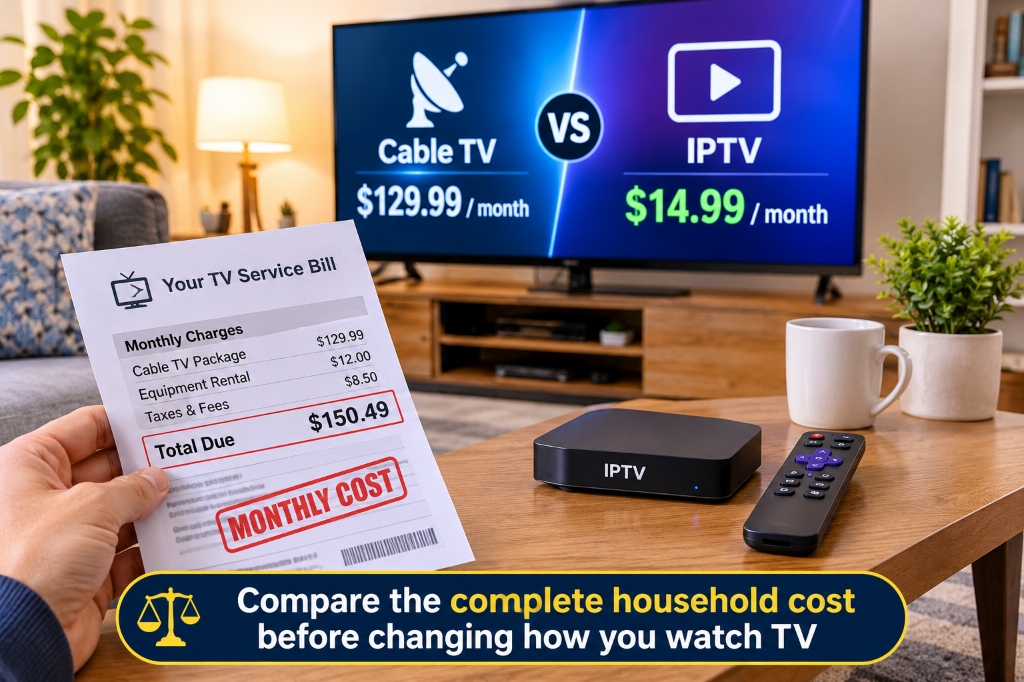
Cable TV vs IPTV at a glance
IPTV can reduce your TV spending when the complete replacement setup costs less and meets your viewing needs. The delivery technology does not guarantee a lower bill, better picture, or a particular channel lineup.
In technical usage, IPTV often refers to television on managed IP networks. Consumer websites also use the term more broadly for internet-delivered subscriptions. Services such as YouTube TV are commonly described as live TV streaming or OTT services. Treat each offer as its own product; they do not all share the same rights, features, or pricing.
Traditional providers also offer streaming apps. For example, Spectrum’s current plans include app-based viewing and selected streaming services. A cable subscription does not automatically mean a rented box on every television.
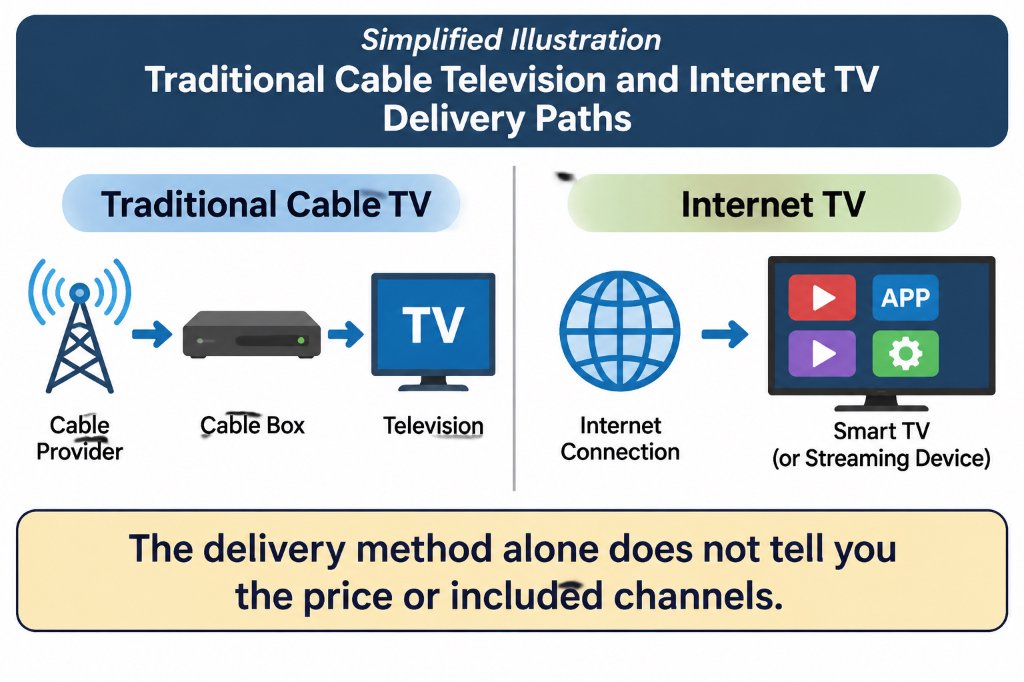
What the advertised prices actually buy
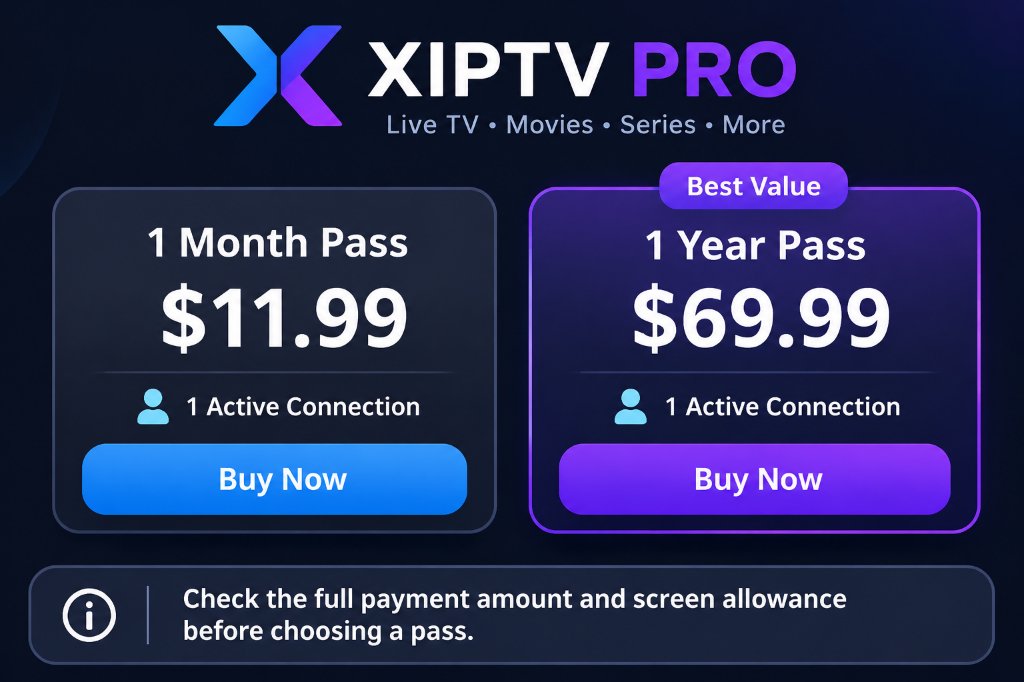
XIPTV PRO currently lists a one-month pass at $11.99 and a one-year pass at $69.99. The annual option has the lower effective monthly price, but you pay for the year upfront.
The XIPTV figures come from the current pricing section and product listings. Its price cards say tax is included. The 12-pass calculation assumes the monthly price remains unchanged throughout the year. Confirm the amount and terms shown when you purchase.
At these prices, the annual pass costs $73.89 less than buying 12 monthly passes. That is a comparison between two payment options, not a measure of how much you will save against cable.
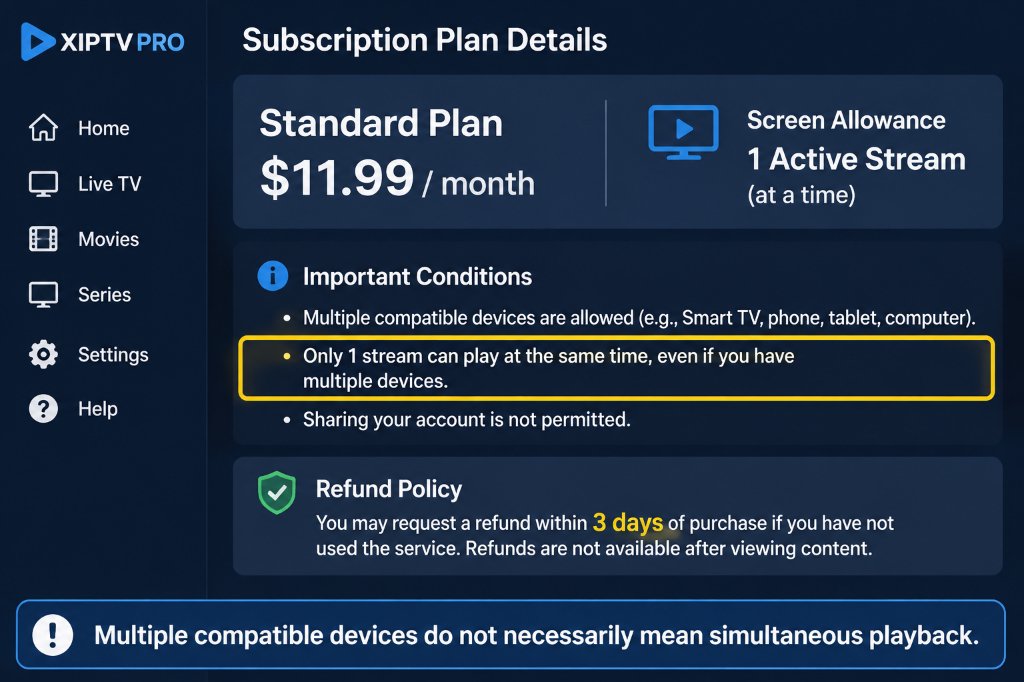
The standard XIPTV PRO plans also list one active connection. Being able to configure a television, tablet, and phone does not mean all three can play different streams simultaneously. If your household needs more screens, request the upgrade price first.
A lower upfront commitment may be useful while you assess fit. The one-month pass costs more per month than the annual option but commits less money initially. An annual payment makes more sense after you have checked the service, app, viewing allowance, and written refund terms.
Calculate your real annual saving
Compare your complete spending before and after the change. If you already pay for internet and will keep it, include it on both sides. If removing television changes the internet price, include that difference too.
Use this calculation:
Annual saving = current annual household TV and internet spending minus replacement annual TV and internet spending minus one-time switching costs.
Include other entertainment subscriptions on both sides when relevant. Anything unchanged cancels out of the calculation. Anything you add, lose, or replace changes the result.
A household example with transparent assumptions
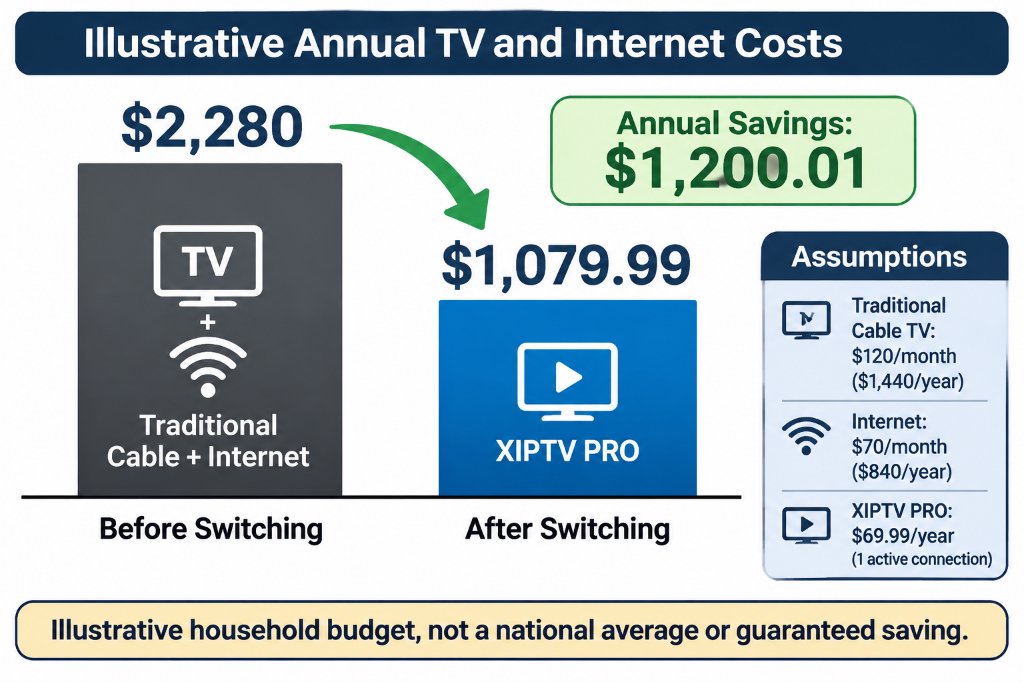
Suppose your TV service, including its recurring equipment and programming charges, costs $120 a month. Internet costs another $70. You receive an $80 internet-only quote, choose the advertised $69.99 annual pass, and budget $50 for a compatible streaming player.
These are illustrative household inputs, not national averages or quotes from a cable provider. The example assumes one active stream is enough, prices remain unchanged, and no additional subscriptions are required. Add any taxes, app charges, connection upgrades, or cancellation costs that apply to your own case.
Notice what changes the result. Removing a $120 TV charge does not save the full $1,440 a year: the replacement pass, higher internet bill, and new player reduce the saving.
If you already own a compatible device, the example’s first-year saving rises by $50. If you add a separate $20 monthly subscription, it falls by $240, to $960.01. This is why channel requirements belong in the budget before you cancel anything.
You can also test a more modest bill. With a $60 monthly TV cost and the same other assumptions, the first-year saving would be $480.01. A headline promising every household the same annual saving would miss that difference.
Compare promotions over the whole period
If a price changes halfway through the year, calculate the months separately. An illustrative offer at $50 for six months and $80 for six months costs $780 for the year, before other charges. Multiplying the introductory $50 by 12 would understate it by $180.
For an annual subscription, also note when you will decide whether to buy another pass. The effective monthly figure is useful for comparison, but it does not turn an upfront payment into monthly billing.
Costs that are easy to overlook
The extra costs worth checking are the ones specific to your household: lost bundle benefits, player fees, additional screens, and programming you would purchase separately.
Internet and included subscriptions
Ask whether your new internet quote includes the modem or router, whether the price changes after a promotion, and whether your plan has a data allowance. You do not need to assume every connection has extra charges; you need the terms for yours.
Also list any streaming services included with your current TV package. Count their replacement cost only if you would actually pay for them after leaving. Assigning full retail value to apps you never use can make the existing bundle look more valuable than it is to you.
Hardware and player apps
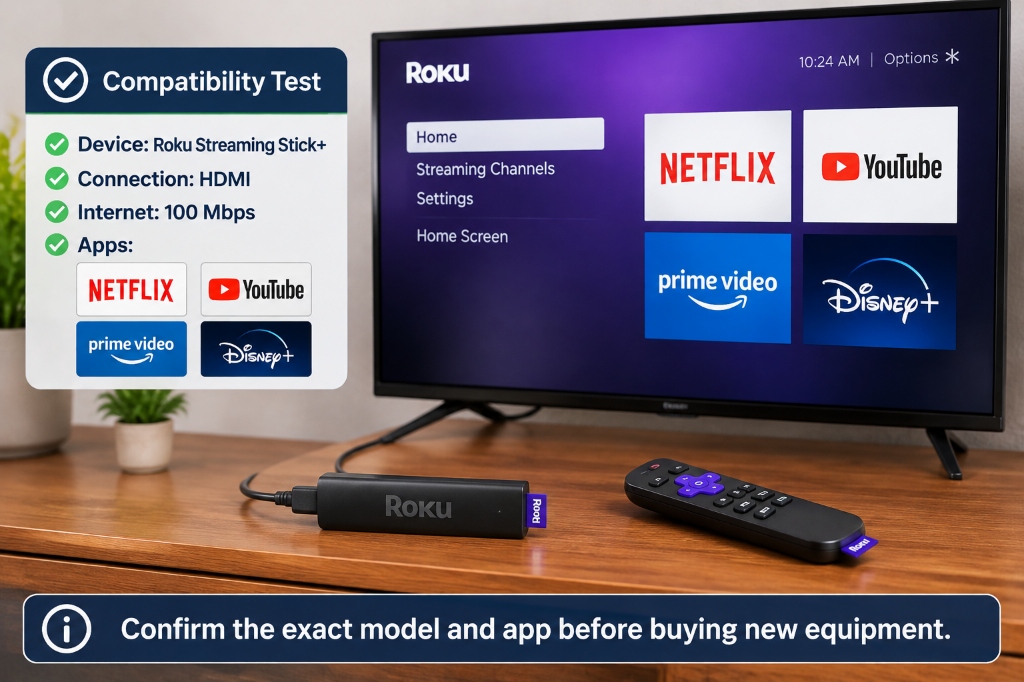
Check your exact television model and operating system against the provider’s requirements. If an app works on your current device, new hardware may be unnecessary. If it does not, budget for the device you intend to buy rather than assuming equipment is free.
Ask whether your chosen player has a separate license or paid feature tier. A TV subscription, a player app, and a physical streaming device are separate items even when they work together. XIPTV PRO’s device and app overview is a starting point for checking the combination you plan to use.
Additional screens and optional viewing
A family watching in three rooms has different requirements from one person watching on one television. Obtain a written multi-connection quote and include it in the annual total. Check whether any recording or replay features meet your needs as well.
Keep separate subscriptions visible in the budget. Paying for several apps can still be worthwhile, but the combined amount is what matters. Review services you rarely open before adding another monthly charge.
Refunds and cancellation terms
XIPTV PRO advertises no automatic recurring billing. Its FAQ also describes a seven-day refund situation involving technical incompatibility that support cannot resolve. Read that wording rather than assuming an annual purchase is refundable whenever you stop watching.
For your current provider, ask about cancellation timing, equipment returns, and any outstanding obligations. The amount may be zero. Get the answer for your own agreement and keep confirmation of returned equipment.
Compare the viewing experience as well as the price
The best-value service is one that delivers the programming and usability you need at a sustainable cost. A channel count or a 4K label cannot establish that on its own.
Channels and sports
Check the exact local stations, regional sports coverage, and events you want to watch. A network name alone does not establish that every game or pay-per-view event is included. Confirm location restrictions, the plan required, and any additional purchase.
For any provider, seek clear information about its authorization to supply the advertised channels and events in your location. Channel logos, a working playlist, or a low price do not establish distribution rights. This matters when deciding whether the service is a dependable replacement for your current package.
Picture quality and connection stability
Resolution, frame rate, source quality, and compression all affect what you see. A 4K-capable device does not turn every channel into a native 4K broadcast, and a high broadband speed alone does not guarantee uninterrupted playback.
XIPTV PRO’s FAQ recommends at least 30 Mbps for its 4K streams. As a separate reference, Netflix recommends 15 Mbps or higher for its own 4K viewing. Those are service-specific recommendations, not interchangeable guarantees for every stream.
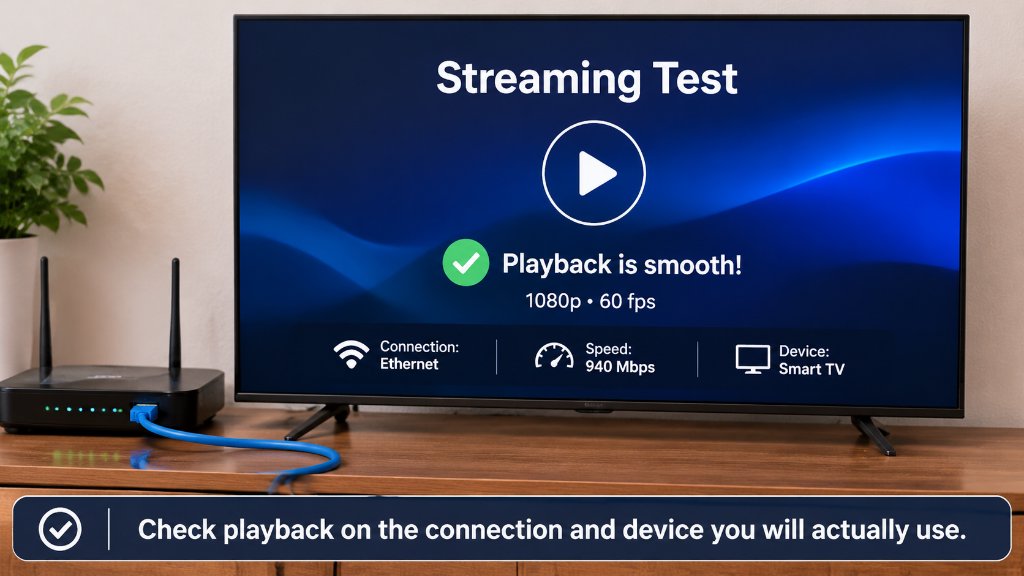
Test where the television sits and at the times you normally watch. Leave room for other household activity. If playback struggles, compare Wi-Fi with an Ethernet connection where practical before buying a faster internet plan.
Everyday usability
Try the guide, subtitles, channel search, remote, and any replay features you depend on. Ask another household member to find a familiar program without your help. A setup that requires constant troubleshooting may not be worth a small saving.
Traditional TV can remain a reasonable choice if your existing package meets these needs and its total cost is competitive. Internet TV can be a better fit if it covers your viewing, works well on your setup, and lowers your complete bill.
Choose a setup and make the switch carefully
Start with the lowest-cost combination that meets your actual requirements, then test it before canceling the service you depend on.
1 Review your current spending
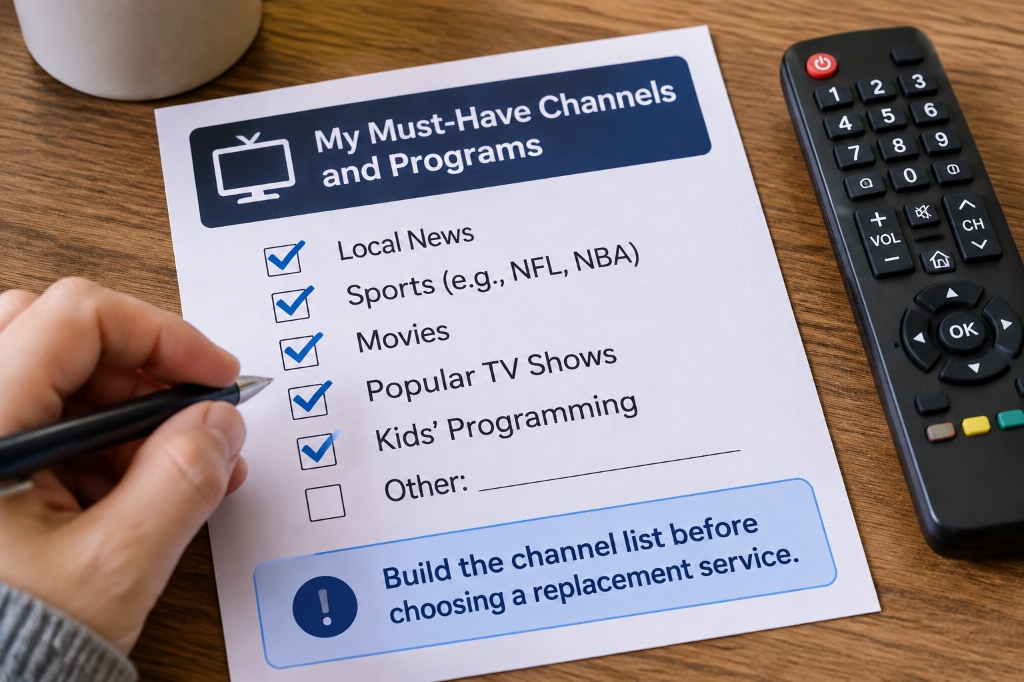
Collect your recent TV and internet bills and list any separately billed entertainment subscriptions. Note promotion end dates, included apps, rented equipment, and services you no longer use.
2 Confirm the replacement price and lineup
Get the internet-only quote, identify the subscription you need, and confirm your must-have programming. Add app costs, simultaneous connections, hardware, and any overlap period while you test both services.
3 Try the exact device and app combination
Use your existing equipment if it is compatible. Follow the relevant TiviMate and FireStick setup guide if that is your chosen setup, and confirm the current app instructions before installing. A successful setup on one device does not prove that another model will work identically.
4 Check the terms before choosing a longer pass
Read the billing and refund FAQ, keep a copy of the applicable terms, and ask support to clarify anything that affects your purchase. If the test meets your needs, compare the annual payment with the shorter option using your own budget.
5 Cancel and check the next bills
Confirm the cancellation date and equipment-return procedure with your old provider. Check the next internet and payment statements against your estimate. If the totals differ, resolve the discrepancy before treating the projected saving as money you have actually saved.
Frequently asked questions
Is IPTV always cheaper than cable TV?
No. A lower subscription price can be offset by a higher internet bill, extra sports subscriptions, additional connections, or new equipment. Compare your full annual household cost and confirm that the replacement includes the programming you actually watch.
How much can I save by switching from cable to IPTV?
Your saving is the difference between your current annual spending and the complete replacement cost. In the illustrative example above, a $120 monthly TV cost is replaced with a $69.99 annual pass, internet rises by $10 a month, and a $50 device is purchased. That produces a first-year saving of $1,200.01 before any additional costs.
Is the XIPTV PRO annual pass billed at $5.83 a month?
No. The advertised annual payment is $69.99 upfront. Dividing that by 12 gives an effective monthly cost of about $5.83, while the separately advertised one-month pass costs $11.99.
Do I need faster internet to use IPTV?
Not automatically. Start with the service requirements and test your existing connection on the intended device. XIPTV PRO recommends at least 30 Mbps for its 4K streams, while other services have different requirements; leave capacity for other people and devices using your connection.
Can one IPTV subscription work on several TVs at once?
Only if the plan allows enough simultaneous connections. XIPTV PRO lists one active stream on its standard plans, even though you can configure compatible devices around your home. Get the price of any multi-connection upgrade before calculating your household total.
Does no auto-renewal mean I can get a refund whenever I cancel?
No. No auto-renewal concerns future charges, while refunds depend on the applicable policy. XIPTV PRO advertises a seven-day guarantee, but its FAQ describes unresolved technical incompatibility as the refund situation. Read the current written terms before paying, especially for an annual pass.
Which option makes sense for your household
IPTV is worth considering when it covers your essential viewing, works reliably on your devices, and reduces your full annual cost. Cable can still be competitive when its bundle, included apps, or familiar setup provides value you would otherwise pay to replace.
Use your bills and the calculation above to make the decision. If XIPTV PRO fits your requirements, review the one-year pass details after confirming the connection allowance and purchase terms. Choose the payment period you are comfortable with, and let the result on your own screen and budget guide the next step.